

Forms v2
Meridian fully supports the Forms v2 Discord standard.
Easily save & reuse responses for later
Easily create dynamic content using simple variables produced.
The Form Editor
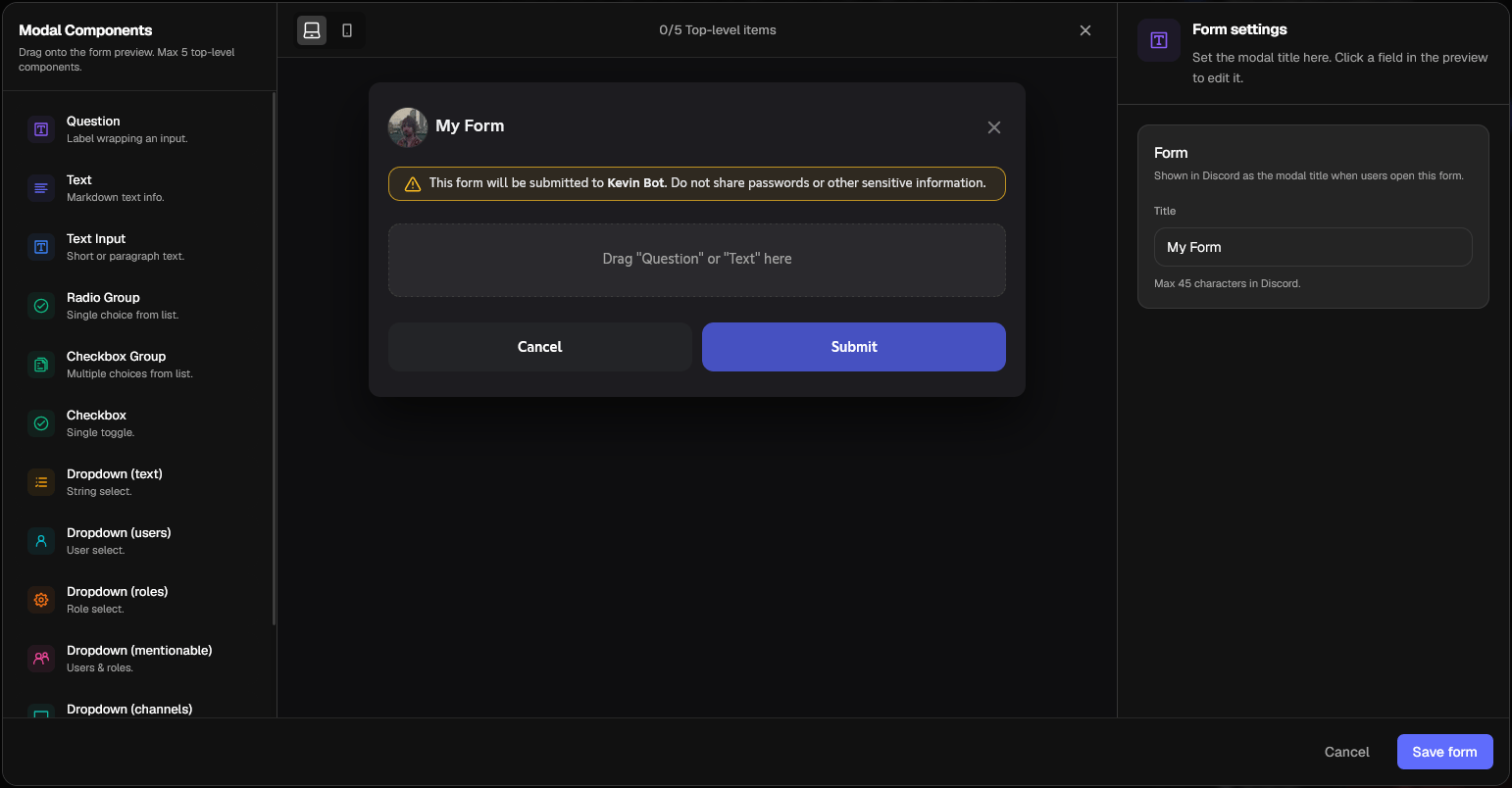
Available Components
Forms made on Meridian are always sent to Discord as Forms v2, v1 is not supported. The components available in Forms v2 include:Question
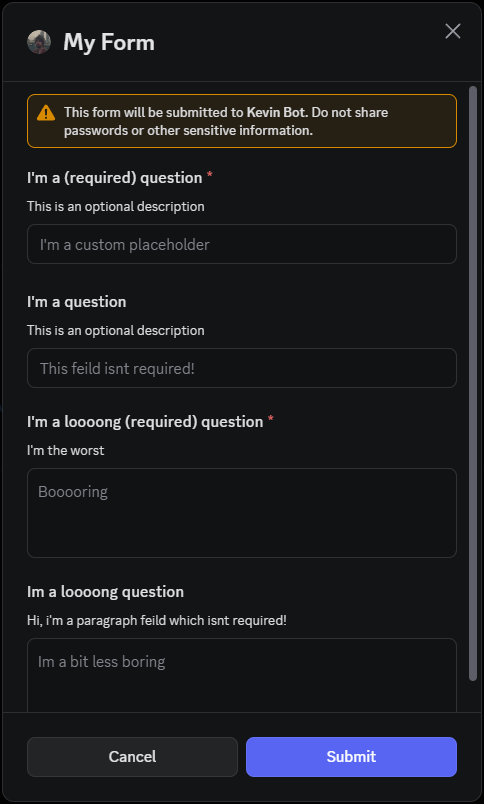
Question
A simple label and text input combination.
It can:
It can:
- Be Short (one line) or a Paragraph
- Be Required or Non-Required (Optional)
- Include a description
- Can change min-max characters
Text
Text
Text Input
Text Input
Radio Group
Radio Group
Checkbox Group
Checkbox Group
Checkbox
Checkbox
Dropdown (Text)
Dropdown (Text)
Dropdown (Users)
Dropdown (Users)
Dropdown (Roles)
Dropdown (Roles)
Dropdown (Mentionables)
Dropdown (Mentionables)
Dropdown (Channels)
Dropdown (Channels)
File Upload
File Upload