> ## Documentation Index
> Fetch the complete documentation index at: https://docs.meridian.surf/llms.txt
> Use this file to discover all available pages before exploring further.
# Changelog
> Track changes and updates we make to Meridian here.
## On this page
* [August 20th, 2026](#august-20th-2026)
* [Introducing MultiConnect](#introducing-multiconnect)
* [Updated /soon page](#updated-soon-page)
* [Updates to how passkeys are created and managed](#updates-to-how-passkeys-are-created-and-managed)
* [Variable Suggestion v1](#variable-suggestion-v1)
* [Updated toolbar](#updated-toolbar)
* [Added a custom context menu](#added-a-custom-context-menu)
* [New keyboard shortcuts](#new-keyboard-shortcuts)
***
# August 20th, 2026
In this update, we've mostly focused on fixing already existing features and more specifically improving variables.
### Introducing MultiConnect
Using MultiConnect, it is now possible to create multiple block suggestions at once. This can massively save time while working with things like large conditions.
On top of that, we also updated the look of the multiselect bar on the bottom of the screen slightly.
### Updated `/soon` page
We've also updated our /soon page. Which is now being served to all users who are not members of our testing team instead of the whitelist.
*Before*
*After*
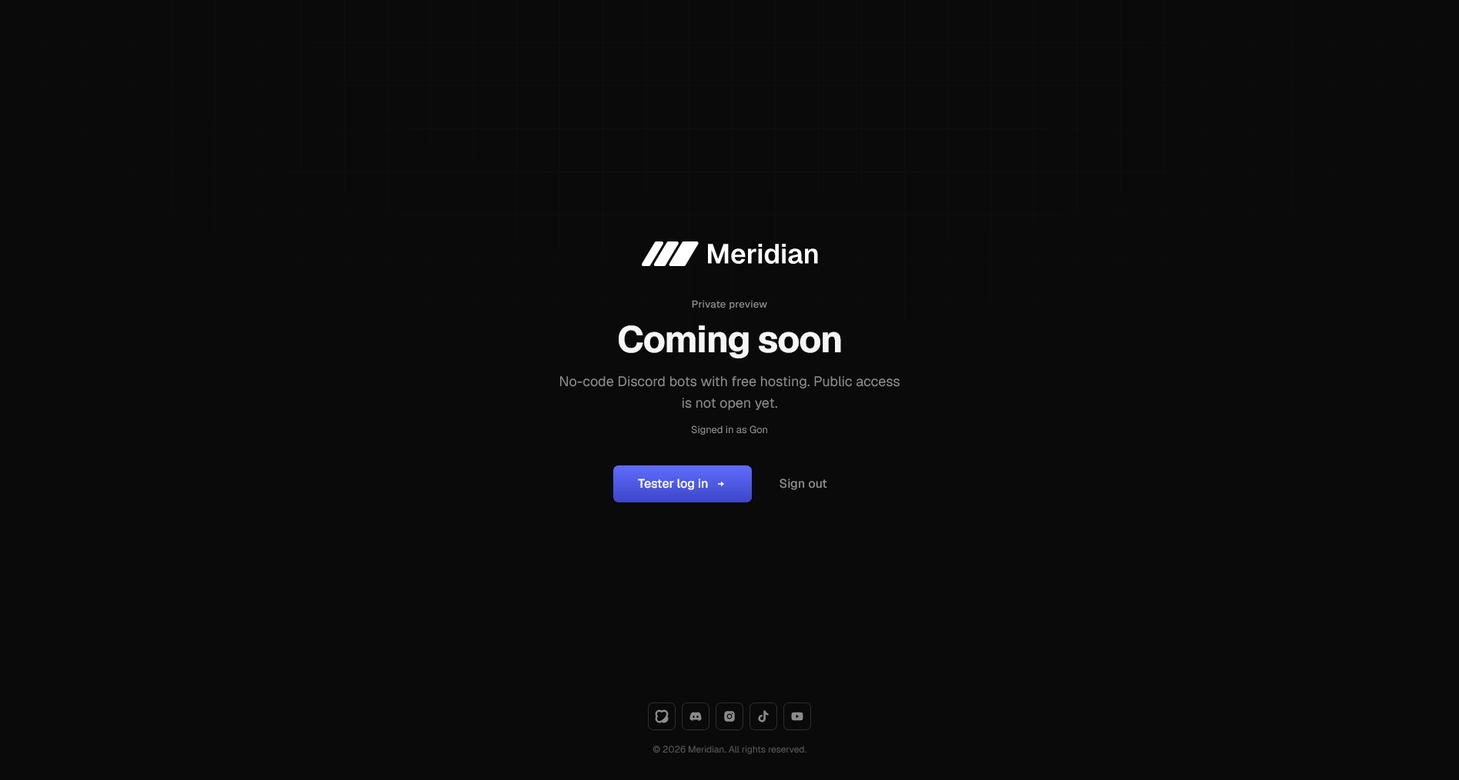
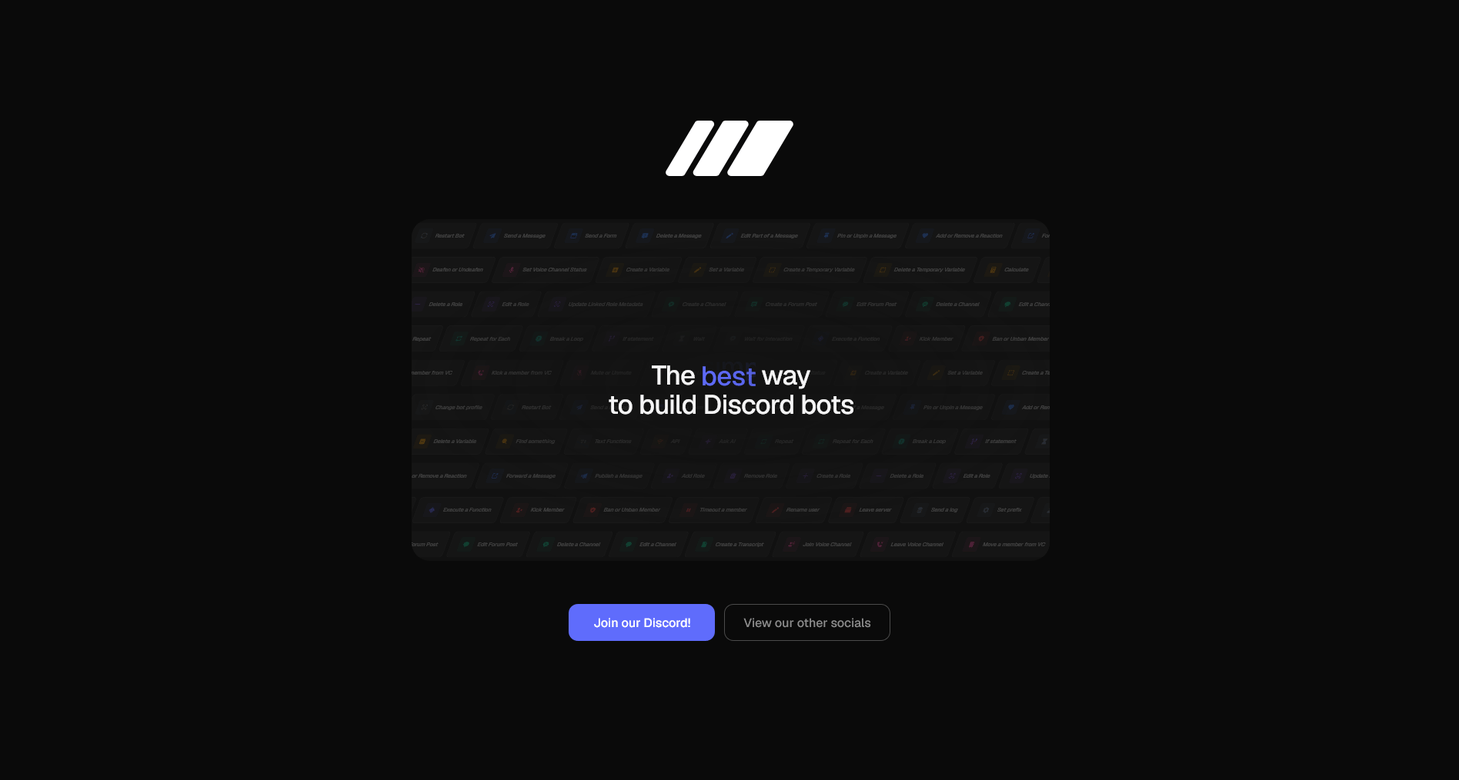 We are planning more updates to the `/soon` page later on.
### Updates to how passkeys are created and managed
Passkeys are now displayed as a sub-item of the main Passkey entry.
We are planning more updates to the `/soon` page later on.
### Updates to how passkeys are created and managed
Passkeys are now displayed as a sub-item of the main Passkey entry.
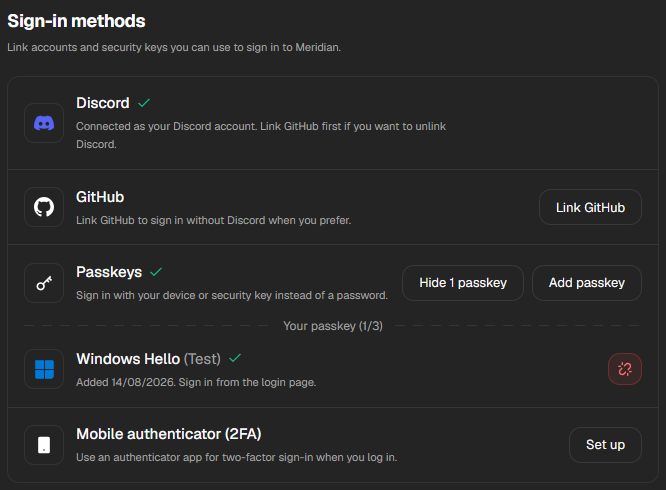 In addition to that, we've also significantly updated the Add passkey modal.
### Variable Suggestion v1
We've implemented the first version of smart variable suggestion. This system is powered by our new engine, which considers the context of your entire flow before suggesting what variables you might need in that specific field and block. Since this is still very beta, we've also implemented a Like & Dislike system, allowing you to directly contribute in improving our engine and making suggestions more accurate for everyone!
In addition to that, we've also significantly updated the Add passkey modal.
### Variable Suggestion v1
We've implemented the first version of smart variable suggestion. This system is powered by our new engine, which considers the context of your entire flow before suggesting what variables you might need in that specific field and block. Since this is still very beta, we've also implemented a Like & Dislike system, allowing you to directly contribute in improving our engine and making suggestions more accurate for everyone!
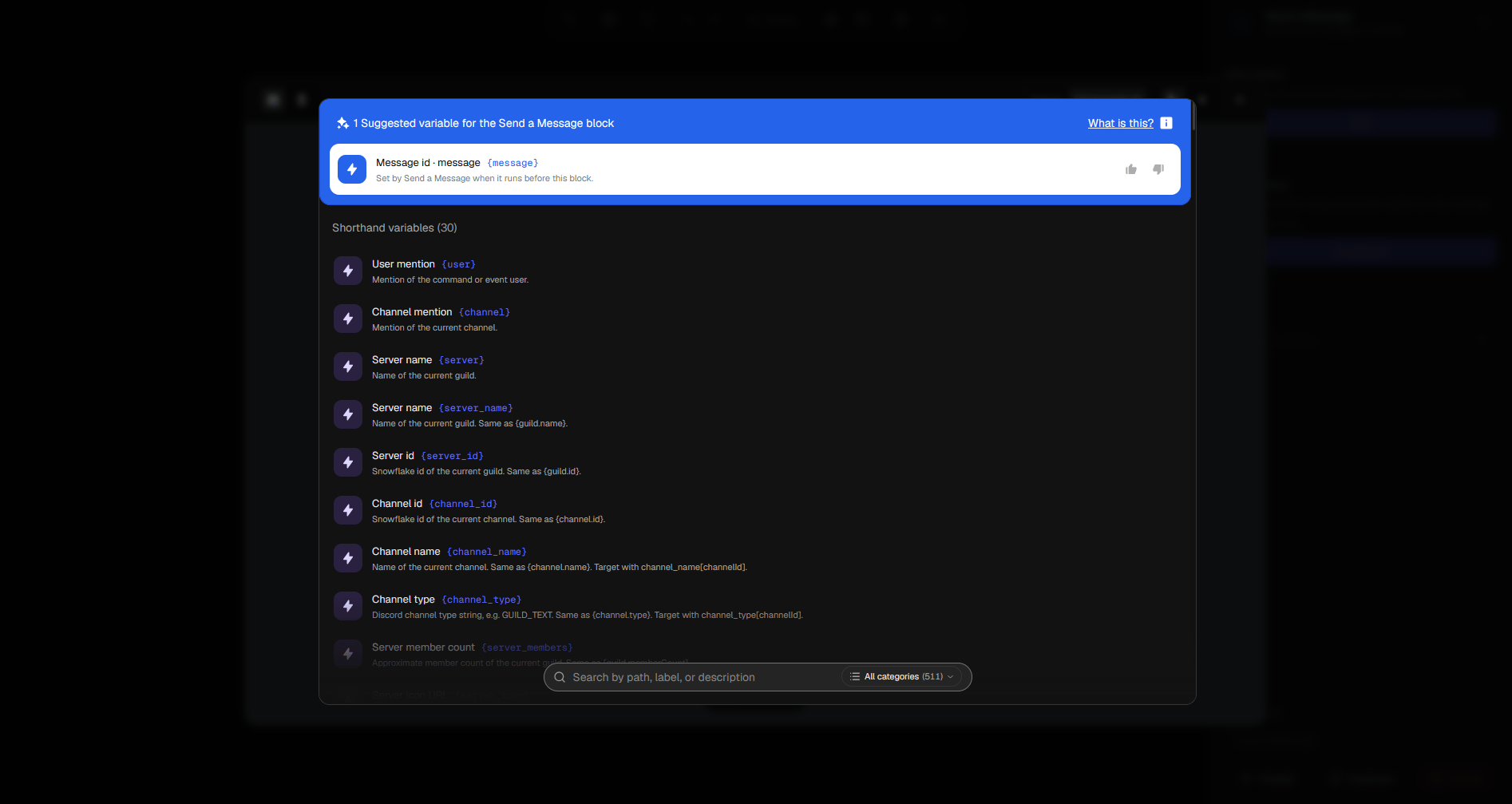 *The updated variable selector, with one suggested variable*
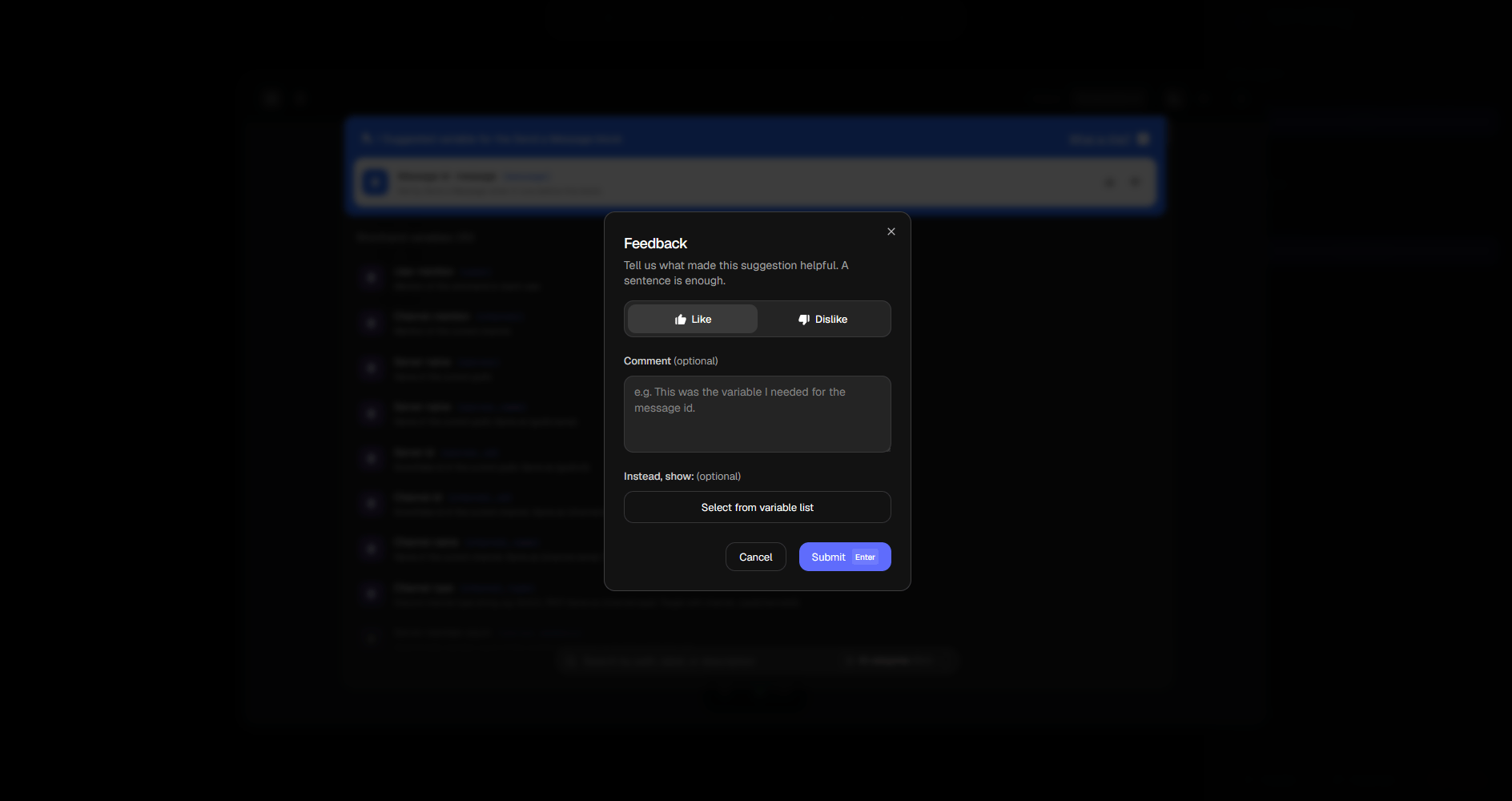 *The feedback modal, shown when you click on the like or dislike button.*
On top of all of that, we also made categories collapsible, color-coded them, and reordered them, to make sure that finding the right variable is easier for everyone.
Thanks to **@rob**, our Community and Documentation Manager, who suggested this feature.
### Updated toolbar
We updated the toolbar, by directly displaying the keyboard shortcuts in the tooltips of all actions that have shortcuts.
*The feedback modal, shown when you click on the like or dislike button.*
On top of all of that, we also made categories collapsible, color-coded them, and reordered them, to make sure that finding the right variable is easier for everyone.
Thanks to **@rob**, our Community and Documentation Manager, who suggested this feature.
### Updated toolbar
We updated the toolbar, by directly displaying the keyboard shortcuts in the tooltips of all actions that have shortcuts.
 ### Added a custom context menu
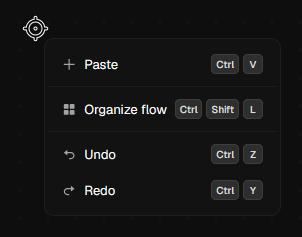
We replaced the stock browser context menu that was triggered on right click before with our new, custom made, context menu. It includes all actions that can be executed in the area you right clicked in, and their keyboard shortcuts.
### Added a custom context menu
We replaced the stock browser context menu that was triggered on right click before with our new, custom made, context menu. It includes all actions that can be executed in the area you right clicked in, and their keyboard shortcuts.
 ### New keyboard shortcuts
We updated the builder settings modal slightly, allowing us to expand the keyboard settings tab inside of it to both look nicer, and soon, function better.
### New keyboard shortcuts
We updated the builder settings modal slightly, allowing us to expand the keyboard settings tab inside of it to both look nicer, and soon, function better.
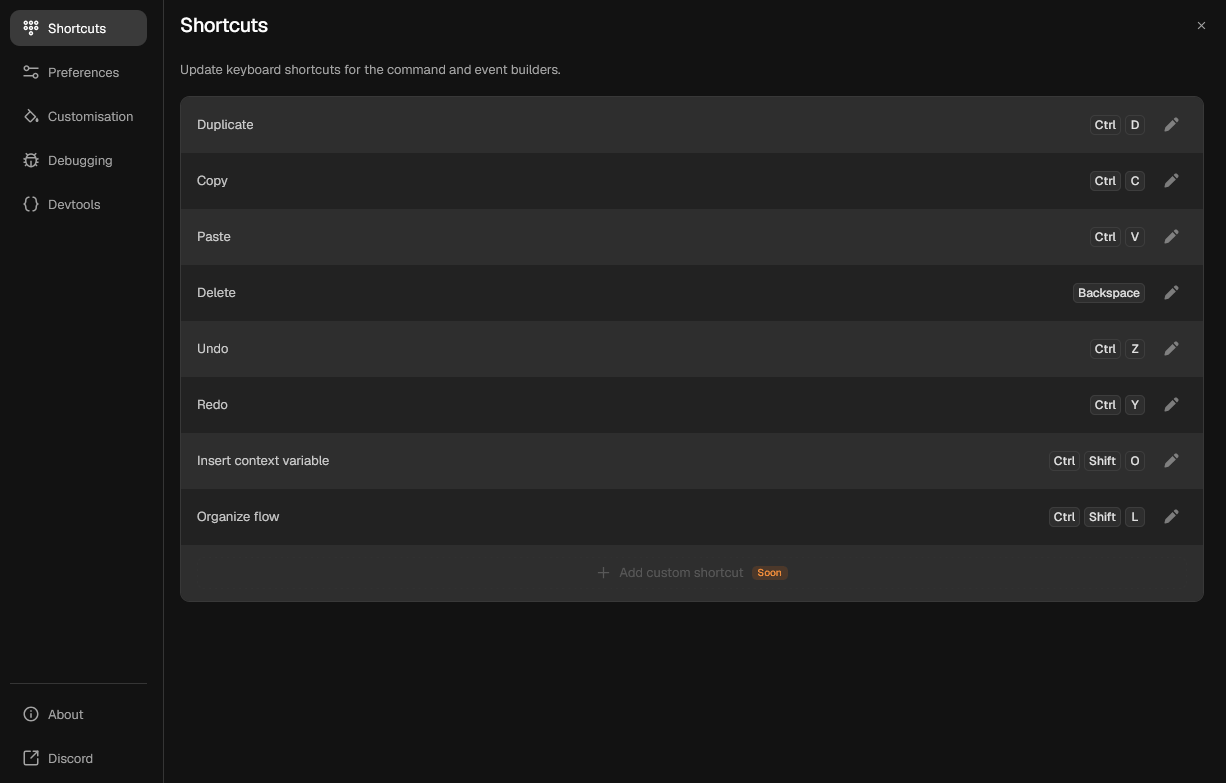 All shortcuts are now shown cleanly, with a pencil icon which when clicked allows you to edit them to any keyboard shortcut you desire.
 If you override a shortcut with a custom shortcut, another icon will show up next to the pencil icon, which when clicked allows you to reset the shortcut to it's default value.
We are soon also adding the ability to create custom shortcuts for custom actions in the builder.
### That's it!
Thank you for reading our changelog! We're hoping to update it later with more updates for the public to see.
If you override a shortcut with a custom shortcut, another icon will show up next to the pencil icon, which when clicked allows you to reset the shortcut to it's default value.
We are soon also adding the ability to create custom shortcuts for custom actions in the builder.
### That's it!
Thank you for reading our changelog! We're hoping to update it later with more updates for the public to see.